
Review
Higgs TTS Review (2026): Is This the Most Human-Like AI Voice Model?
By Ethan Liu, Senior Audio Tools Editor · Audio testing by Mia Chen · Updated June 18, 2026
We put Higgs TTSthrough hands-on tests — naturalness, long-form reading, dialogue, style and speed, voice cloning, and multilingual output — using only the controls in the live product. Below are real audio samples and an honest read on where it shines and where it doesn't.
Quick verdict
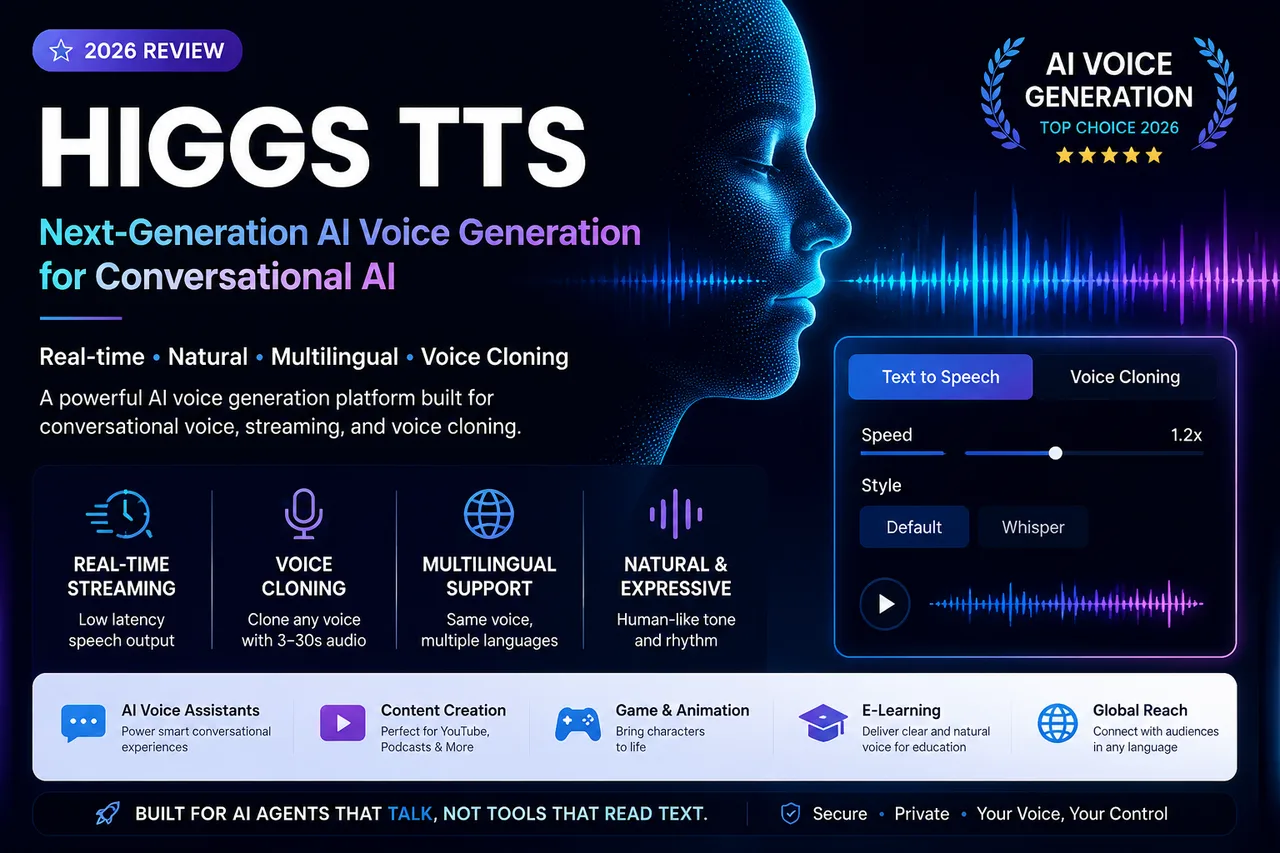
Higgs TTS is a configurable, UI-driven voice generation tool — not a one-click reader. It pairs Higgs Audio v3 TTS with consent-gated voice cloning, and output quality tracks closely with your script structure and voice settings. For structured content production and AI-assistant voice, it's one of the strongest options in 2026; for fully automatic, zero-config reading, it's more than you need.
What is Higgs TTS?
Higgs TTS is a neural speech generation system built for conversational AI rather than traditional, line-by-line narration. Where most TTS tools convert text into static, neutral speech, Higgs focuses on generating speech that sounds like a real conversation — which makes it a fit for AI voice assistants, chatbots, real-time communication tools, and voice-enabled apps.
Higgs TTS vs traditional TTS
Traditional text-to-speech converts text directly into a fixed output with limited voice options. Higgs TTS adds a configuration layer: you pick Text-to-Speech or Voice Cloning, adjust gender, age, accent, speed, and style, optionally upload reference audio, and then generate. The practical difference is control — the same sentence can sound like a calm narrator or a bright presenter depending on your settings.
How Higgs TTS works
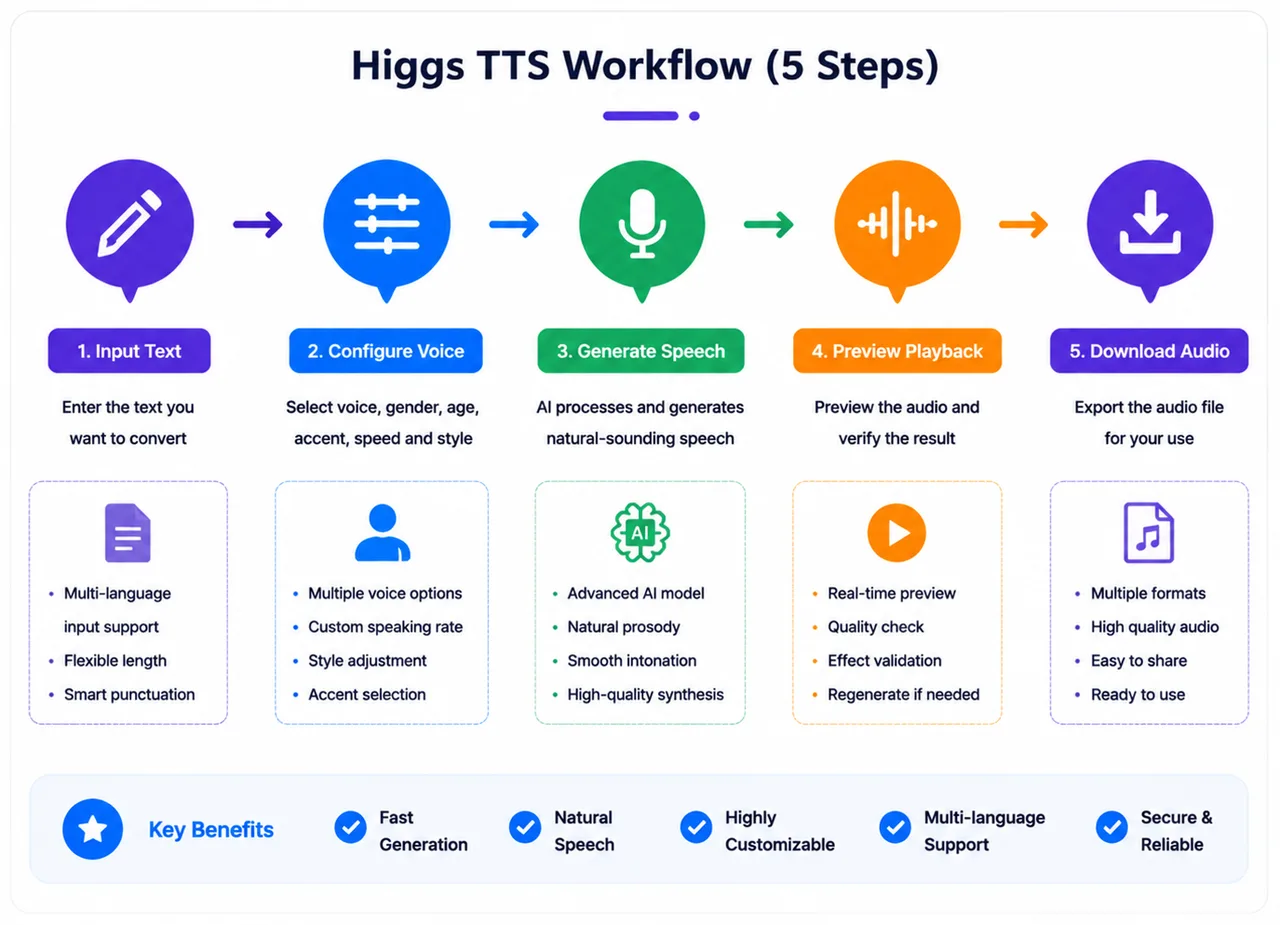
The user-facing workflow is five steps: (1) choose a mode and provide input, (2) configure voice parameters, (3) set the voice identity if cloning (upload a 3–30s clip + consent), (4) generate speech from your text and settings, and (5) receive audio that streams progressively, so you can hear output before it fully completes.
Real-world testing results
We tested only with the controls shown in the product UI. Listen to the actual samples below.
Test 1: Short sentence naturalness
Stable pronunciation, natural pacing, and consistent voice identity with no noticeable distortion. Verdict: stable for short-form speech — ideal for assistant replies and notification audio.
Test 2: Long paragraph reading
Voice consistency holds across long text, though emphasis flattens slightly and pacing varies with sentence length. Verdict: stable but less expressive in long-form — best for educational and informational narration.
Test 3: Dialogue-style input
A scripted user/assistant conversation, read turn by turn:
It reads dialogue in order with consistent identity and natural between-sentence pauses, but there's no separate "conversation engine" — results depend on how the text is written. Verdict: works on text structure, not interactive simulation.
Test 4: Style & speed variation
Whisper produces a softer delivery; speed changes pacing and clarity directly. Emotional variation is limited and text-dependent — there's no independent emotion engine. Verdict: output variation is parameter-driven, not emotion-driven.
Voice cloning review
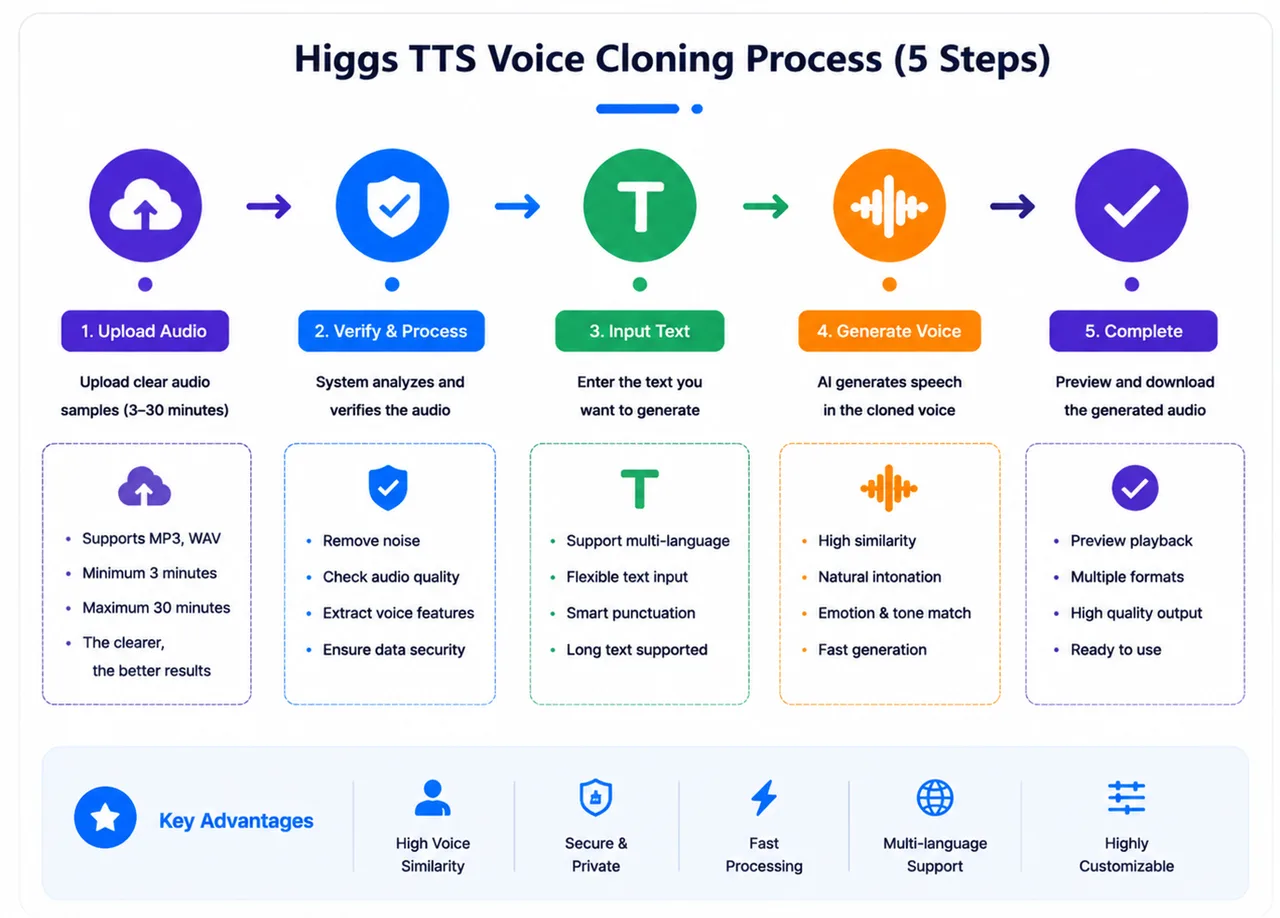
Cloning is a reference-audio-driven feature: upload a 3–30 second sample, confirm consent, optionally add a transcript, then generate new text in that voice. In testing, the voice identity stayed consistent across different text inputs, and output quality tracked closely with the clarity of the reference clip — clean, single-speaker samples clone best. It is a structured workflow for repeatable, consistent voice production, not arbitrary voice transformation. See the full Higgs voice cloning tool for details.
Audio perception analysis
Timbre is most stable on short, structured inputs. Rhythm and pauses are driven by sentence structure, punctuation, and speed — natural in dialogue and short sentences, slightly uneven across long continuous paragraphs. Emotional variation is text-driven rather than a dedicated system setting, and breathing-style effects are emergent rather than configurable. The takeaway: write for the ear and segment long text, and the output sounds markedly more human.
Multilingual capability
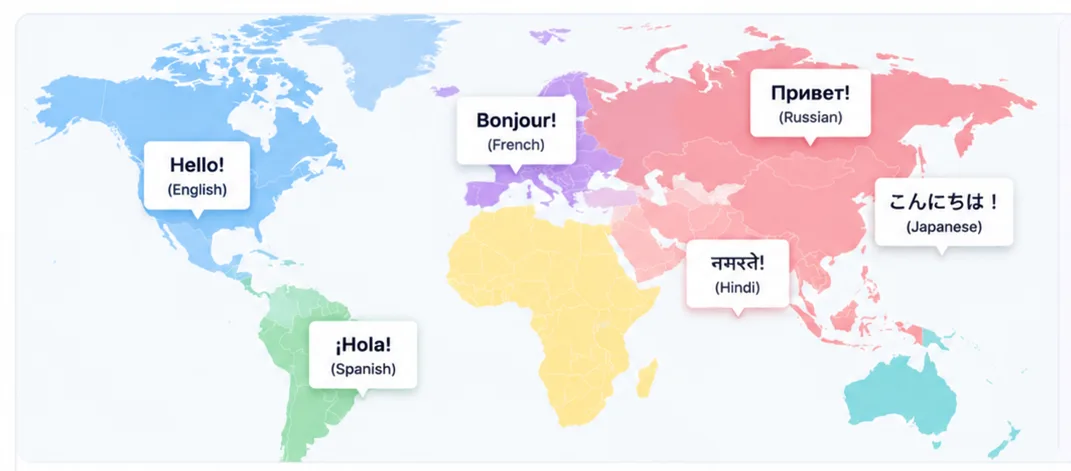
Higgs TTS handles many languages — including English, Chinese, Spanish, Arabic, Japanese, Korean, Hindi, and French — and is designed to keep a consistent voice identity across them. Instead of a separate model per language, a unified multilingual approach enables the same voice across languages and cross-language cloning, which matters for consistent global deployment.
Use cases
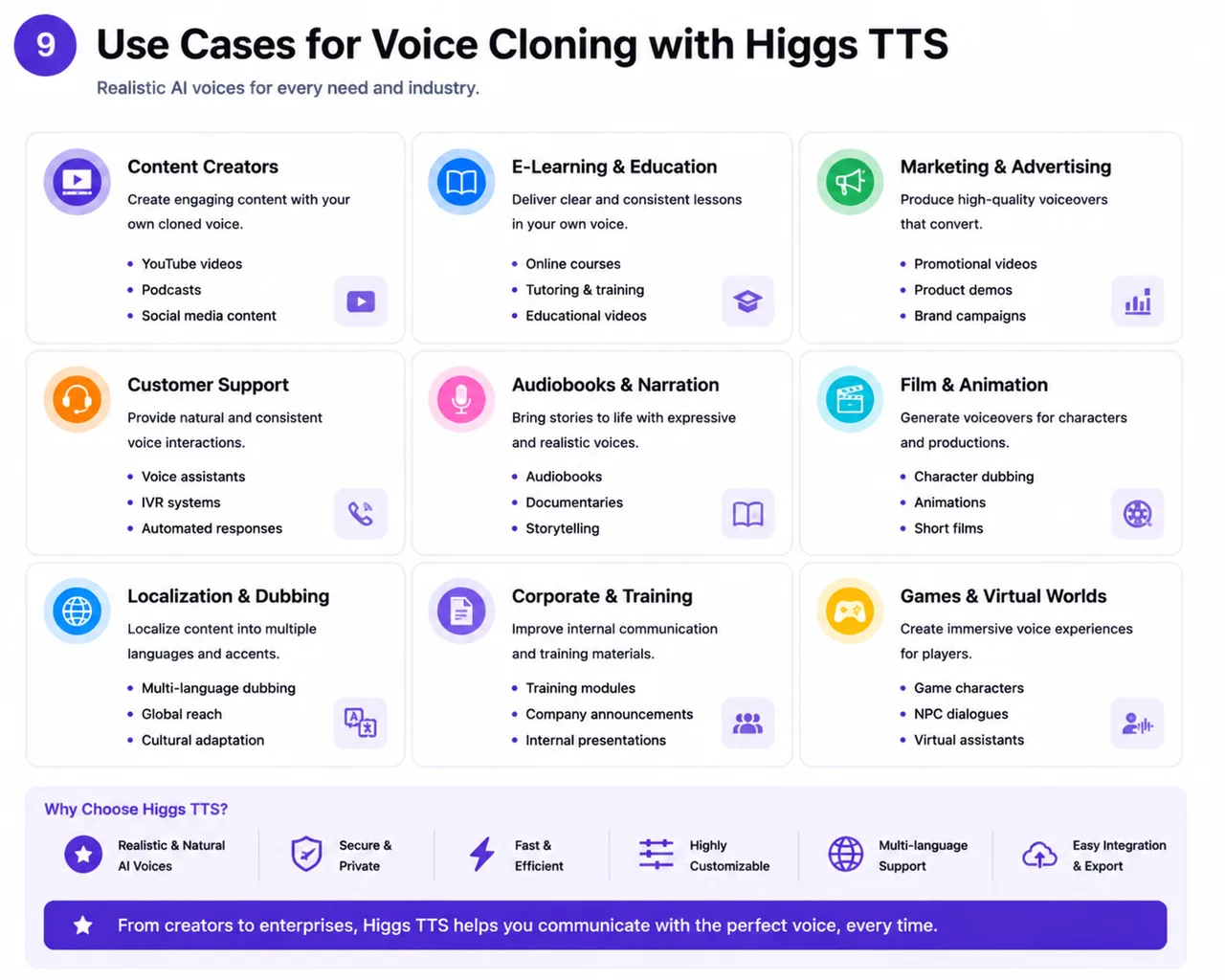
The strongest fits are AI voice assistants, content creation (YouTube voiceover, podcast script-to-audio, educational narration), game NPC and character dialogue, enterprise voice responses, and education tools. Across all of them, consistent voice identity and predictable, settings-driven output are what make Higgs practical at scale.
Working with Higgs TTS in practice
First impressions matter here: instead of a single "generate" button, Higgs TTS gives you structured controls — voice selection, style, speed, and mode — so output feels configurable rather than canned. The trade-off is that it isn't fully automatic; your settings and script do real work.
The creator workflow is straightforward: write a script, paste it into Text-to-Speech mode, adjust gender, age, accent, speed, and style, generate using credits, then review and regenerate if needed. Voice consistency held across repeated generations in our tests, and cloning lets you reuse one voice identity across an entire series of scripts.
Because there is no separate prompt engine, the text itself is the biggest lever on quality. Write the way people speak — short sentences, natural punctuation for pacing, and short paragraphs instead of dense blocks. "Please speak in a calm, natural tone. Pause slightly between ideas." produces noticeably better pacing than "Read this text." It shines for educational narration, voiceovers, and podcast-style audio, and is less suited to highly emotional or improvisational performance.
Troubleshooting common issues
A handful of issues come up repeatedly, each with a simple fix:
- Long-sentence instability: pacing weakens in dense paragraphs — split long sentences, add punctuation, and use paragraph breaks.
- Flat or neutral tone: over-simple text reads flat — add natural sentence structure and contextual phrasing, and adjust the style setting.
- Over-complex emotional instructions: too many tone directions in the text reduce stability — keep direction simple and lean on the style and speed controls instead.
- Long-form consistency: rhythm drifts over very long scripts — break them into sections and generate in batches rather than one large input.
Limitations
- Text-dependent quality — well-structured input produces noticeably more natural speech.
- No in-UI audio editing — it focuses on generation; you refine by regenerating, not post-editing.
- Core-focused feature set — built around TTS and cloning, not a full production suite.
- Expressive performance — less suited to dramatic, improvisational voice acting than to structured narration.
Is Higgs TTS worth it?
Worth it if you build structured AI voice applications, work with TTS or cloning, need adjustable voice parameters, want consistent voice identity, or produce audio at scale in a browser tool. Maybe not if you only need simple text reading, want zero configuration, or prefer a fully automated one-click tool. It starts with 3 free credits, so the lowest-risk move is to test your own script — see pricing for credit packs.
Final verdict: as a UI-driven voice generation system, Higgs TTS is strong on flexible voice control, a structured cloning workflow, and consistent output across generations. Its main asks are a little configuration literacy and well-structured input. For conversational AI voice, assistants, and multilingual content production in 2026, it is one of the more capable options — provided you treat the script as part of the craft.
FAQ
Higgs TTS review — frequently asked questions
What is Higgs TTS used for?▼
Higgs TTS generates speech from text using configurable voice settings, with Text-to-Speech and Voice Cloning modes inside the interface — useful for voiceovers, AI assistants, e-learning, and content production.
Does Higgs TTS support voice cloning?▼
Yes. It clones a voice from a 3–30 second reference audio sample, with a mandatory consent confirmation step before generating in the cloned voice.
Can Higgs TTS work in real time?▼
It produces speech progressively, so audio can begin shortly after processing starts, depending on input length and settings — helpful for assistant-style, low-latency use.
Is Higgs TTS better than ElevenLabs?▼
They have different focuses. Higgs TTS centers on structured, UI-driven voice generation (speed, accent, style, cloning workflow); ElevenLabs is a broader platform. The right choice depends on your workflow, not outright superiority.
Is Higgs TTS beginner-friendly?▼
It suits users comfortable with voice configuration — speed, voice selection, style modes, and cloning setup. First-time users may need a short learning curve, but the defaults work well.
What makes Higgs TTS different?▼
Its UI-based voice control system: Text-to-Speech and Voice Cloning modes, adjustable gender/age/accent/style/speed, and a consent-gated cloning workflow — output is shaped by these controls plus your text.
Try Higgs TTS yourself
The best test is your own script. Start with 3 free credits — no install required.